Guide
What Is Botpress? A Practical Guide to Its AI Agent Platform
A neutral guide to Botpress's three building paths, support capabilities, channels, human handoff, pricing model, strengths, and operational fit.
By Luni Chat8 min read
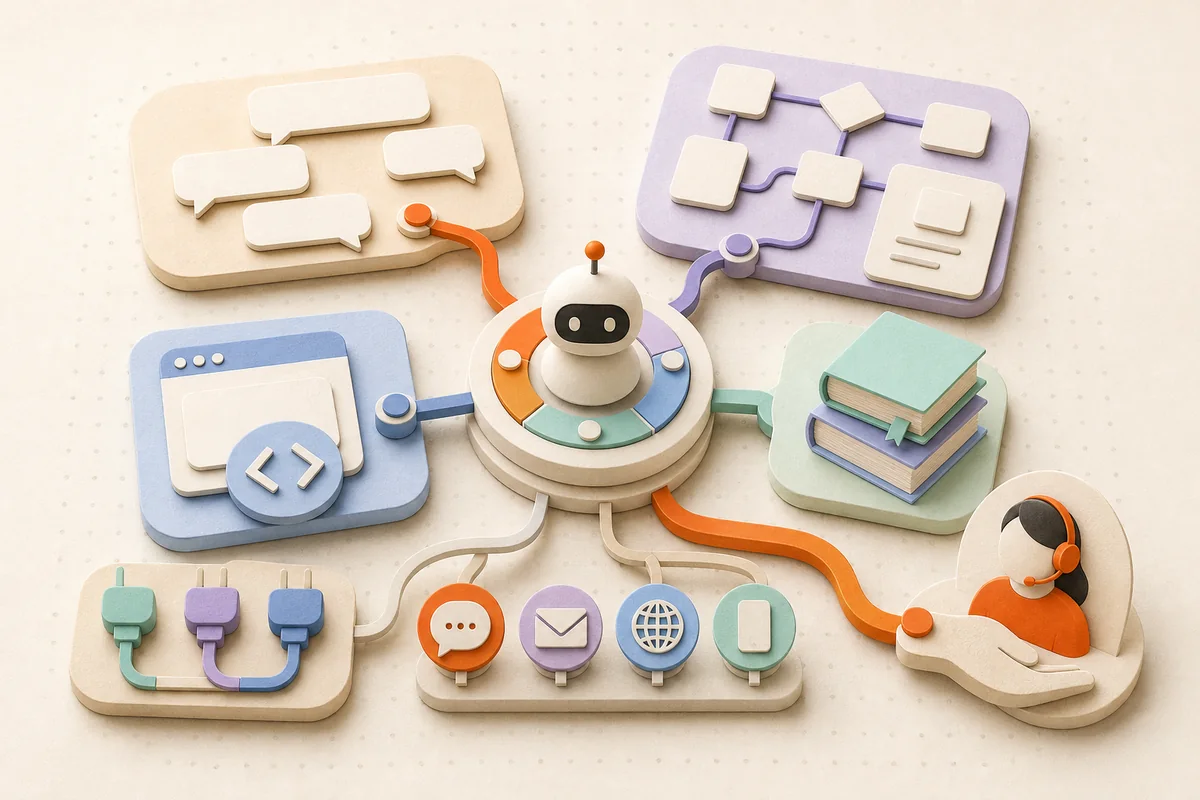
Botpress is a cloud platform for building and running AI agents. For support, agents can answer from maintained knowledge, follow processes, call tools, work across channels, and transfer conversations to people.
Its current documentation presents three building paths: Viber, a conversational builder; Studio, a visual workflow environment; and the Agent Development Kit (ADK), a TypeScript framework. They share the platform, but their models are not interchangeable.
That breadth is Botpress's appeal—and why buyers should evaluate it as a platform, not an instant support department. A useful deployment still needs reliable sources, scoped permissions, escalation rules, testing, and an owner after launch.
The three ways to build with Botpress
Viber: build through conversation
Botpress Viber is a conversational builder for creating, testing, and launching agents. A user describes the audience, job, knowledge, tools, and handoff behaviour. Botpress's builder agent, Vibe, creates a first version and refines it through follow-up instructions. Teams can also edit its settings directly.
This is a guided path for defining an outcome in natural language, testing it in Preview, and publishing it. Viber has concepts including instructions and playbooks. It does not use Studio's Nodes and Cards.
Studio: design visual workflows
Botpress Studio is a visual, drag-and-drop development environment. It organizes an agent into:
- Workflows, reusable sequences such as collecting return details;
- Nodes, individual steps within a Workflow;
- Cards, actions such as sending messages, capturing information, controlling flow, executing code, or invoking an integration;
- Tables and variables, for storing and reusing data.
This suits support journeys that mix flexible answers with explicit process logic. A standard Node executes Cards in order, keeping validation or approval predictable.
ADK: build in TypeScript
The Botpress ADK is a developer-first TypeScript framework. Its documentation covers conversations, workflows, tools, testing, LLM utilities, and a command-line interface, with typed primitives for agent projects.
ADK fits engineering teams that want behaviour in source code, typed schemas, automated evaluations, and closer control over integrations. It is not a Studio code export or Viber with a different editor.
How autonomy works in Studio
Studio's Autonomous Node uses an LLM to understand context, write responses, and decide when to use its available tools. Its configuration can include instructions, selected Knowledge Bases, variables, tools, other Workflows, and exit conditions.
The agent can interpret varied phrasing, consult policy, choose an approved tool, or transition into a structured Workflow for deterministic steps.
Autonomy still needs design. Botpress recommends specific instructions and provides an Inspect view for examining tool use. Keep permissions narrow, and define confirmations, exit conditions, and requests that always go to a person.
Viber and ADK also build agents that use AI and tools, but do not apply Studio's Autonomous Node terminology to them. Evaluate each path using its own current documentation and testing surface.
Knowledge Bases and answer quality
Studio Knowledge Bases are sources an agent can reference. The current Studio documentation lists websites, documents, tables, web search, rich text, and integrations. A builder can scope an Autonomous Node to selected Knowledge Bases or expose separate searches as different tools. Viber likewise supports adding knowledge from websites, FAQs, files, and web search through its own interface.
Someone must still remove expired information, reconcile conflicts, and define what happens when no answer is found.
More retrieval is not automatically better. Botpress notes that searching all selected Studio Knowledge Bases can use more tokens and add latency compared with choosing a source based on context. Start with a clean, support-specific collection and an explicit no-answer path. Our guide to training AI support on knowledge and brand voice covers source ownership and testing.
Channels, Webchat, and integrations
Botpress Webchat supports an embed code or React library; its documentation also points to a Chat API.
Current Viber channel documentation lists Webchat, WhatsApp, Telegram, Instagram direct messages, Messenger, Slack, and Twilio for voice and SMS. It distinguishes channels—where people talk to the agent—from external actions configured as tools. Other than Webchat, each channel requires provider-specific setup. This list does not imply support for Instagram public comments, TikTok, or YouTube.
The wider integrations catalog connects agents to services, APIs, and tools, with an SDK for custom integrations. That enables record lookups or CRM updates, but creates dependencies. Decide what customers see when an API fails.
Verify the exact builder, channel, message type, authentication model, and action you plan to use. A name in a catalog is not proof that every surface behaves identically.
Human handoff and Botpress Desk
Customer support needs a credible route out of automation. Botpress's current Studio human-handoff documentation directs new Studio workspaces to Botpress Desk. Existing Studio workspaces may continue using the legacy Human-in-the-Loop integration, which the page currently marks as requiring a Plus plan or higher.
The legacy flow creates a ticket that a teammate can view, assign, answer, and return to the chatbot. Do not infer Desk availability or pricing from the legacy HITL plan note; confirm the current Desk offering for your workspace.
Whatever the route, test more than the trigger phrase. Verify that the person receives useful context, ownership is clear, and returning control does not repeat questions or actions.
How Botpress pricing works
Botpress uses a layered model rather than one all-inclusive number. Its pricing page presents subscription paths for different levels of use and team needs. Separately, AI Spend covers LLM usage at the model provider's cost. Quotas and add-ons can involve incoming messages or events, bots, collaborators, table rows, vector database storage, and file storage.
Estimate traffic, knowledge queries, model choice, storage, seats, plan features, and integration maintenance. Plans and limits change, so use the live pricing page and workspace dashboard. Our AI customer-support ROI scorecard includes labour and quality costs.
Strengths and operational tradeoffs
Botpress is strongest when a team needs custom agent behaviour rather than only scripted replies. Depending on the chosen builder, it offers conversational creation, visual workflows, or typed code; scoped knowledge; tool use; integrations; multiple channels; testing and inspection; and a route to human support.
The tradeoff is operating responsibility: choose a builder, configure channels, manage permissions, maintain knowledge, test behaviour, watch usage, and respond when integrations change. Autonomous decisions require broader evaluation than fixed flows.
Botpress may be more platform than a small team needs for a narrow, ready-to-operate workflow. A team focused on questions across social comments and DMs—and unwilling to build a custom agent—might also evaluate a purpose-built product such as Luni Chat. That is a difference in operating model, not a claim that one universally replaces the other. Botpress is the more natural fit when bespoke logic, integrations, or developer control are central.
For any approach, use a deliberate split between automation and people. Our guide to AI support versus human agents provides a risk-based framework.
A focused proof-of-concept checklist
- Choose one support job. Use a bounded, frequent request with a measurable outcome.
- Choose the builder. Test Viber for conversational creation, Studio for visual workflows, or ADK for TypeScript ownership.
- Map the required truth. List the policies, records, and real-time systems the agent needs, then assign an owner to each source.
- Separate flexible and fixed steps. Keep order, validation, approvals, and high-impact actions predictable.
- Limit tools and permissions. Start read-only where possible. Add write actions with validation, confirmation, logging, and recovery.
- Connect one real channel. Test its message formats, identity constraints, timeouts, and failures outside the builder's preview.
- Build handoff before launch. Cover explicit requests, no-answer cases, sensitive topics, repeated failure, and high-impact actions.
- Run representative tests. Include paraphrases, missing information, conflicts, prompt injection, repeat contacts, and unavailable APIs.
- Score outcomes, not fluency. Measure correctness, unsupported claims, action accuracy, appropriate escalation, handoff context, latency, and cost per successful outcome.
- Name the operator. Decide who reviews failures, updates knowledge, approves changes, and monitors usage each week.
The bottom line
Botpress offers three distinct building paths: conversational creation in Viber, visual workflows in Studio, and TypeScript ownership through ADK. It is a serious candidate when knowledge, tools, channels, and human escalation must form one tailored support system.
Prove one real journey end to end, including bad inputs, broken dependencies, human takeover, and ongoing cost. If the team can own that operating loop—and the use case needs the platform's flexibility—Botpress deserves serious evaluation.